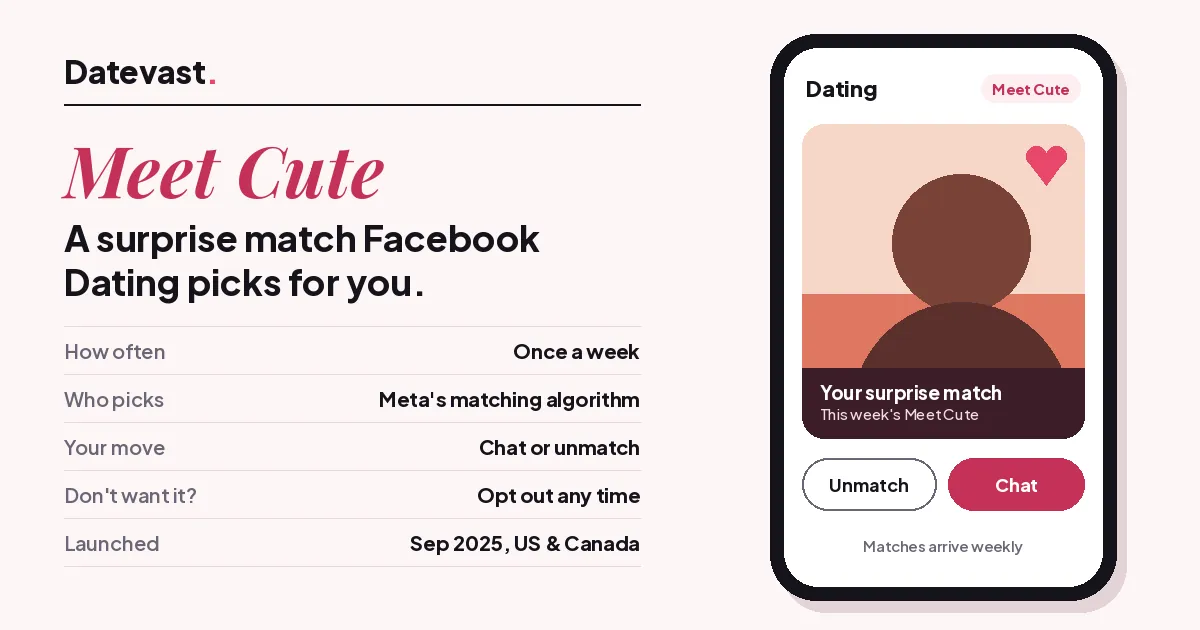
Quick answer: A Meet Cute match is a surprise match that Facebook Dating makes for you once a week. Meta’s matching algorithm picks the person, so there’s no swiping and no liking first. Then it’s your call: chat with them, or unmatch to pass. Not into surprises? Meta says you can opt out of Meet Cute any time.
Okay, the name. A “meet cute” is the rom-com moment when two people bump into each other by pure chance, coffee spilled, eyes meet, you know the scene. Facebook borrowed it for a feature that tries to bring a little of that luck back to online dating. 💘
How a Meet Cute match works
- Once a week, Facebook Dating’s algorithm picks one person for you. Meta only describes it as “personalized” matching.
- The match lands in your Dating profile. You didn’t have to like them first, and they didn’t have to like you.
- You decide what happens next: start a chat, or unmatch to pass on the conversation.
- The next week, a new surprise match arrives.
Meta launched Meet Cute on 22 September 2025, together with a new AI dating assistant. It rolled out first in the US and Canada. Matches started out weekly, and Meta said it was looking at adding other frequencies.
Meet Cute vs. regular Facebook Dating matches
| Regular matching | Meet Cute | |
|---|---|---|
| Who picks | You both like each other’s profiles | Facebook’s algorithm picks for you |
| How often | Whenever you browse | One surprise match a week |
| Effort | Browse, like, wait | None until the match arrives |
| Not feeling it? | Don’t like them back | Unmatch to pass |
Meet Cute is built for swipe fatigue. If scrolling profiles has started to feel like a chore, a weekly pick widens your pool without you doing anything.
What Meta hasn’t said (yet)
Quick heads-up, because plenty of guides fill these gaps with guesses:
- Which day matches arrive. Meta says weekly. It hasn’t named a day.
- Whether a match expires. There’s no official 24-hour window or deadline in Meta’s announcement or Help Center as of October 2026.
- What the algorithm weighs. Meta calls it “personalized” and stops there.
If a site tells you “matches drop every Tuesday and vanish after 24 hours,” ask where it got that. We couldn’t find Meta saying it.
How to turn off Meet Cute
Meta says you can opt out at any time. It hasn’t put step-by-step instructions in the Facebook Help Center yet, so here’s where to look:
- Open the Facebook app, tap Menu, then Dating. (Can’t find it? Here’s where Facebook hides Dating.)
- Tap the settings gear at the top of Dating. That’s where Facebook keeps Dating’s other preferences.
- If a Meet Cute option is listed there, switch it off.
Don’t see Meet Cute at all? It most likely hasn’t reached your account or country yet. And you never have to turn the whole feature off to skip one person. Just unmatch that match.
What if a Meet Cute match isn’t right?
- Not your type: unmatch. That passes on the conversation, the same as any other Dating match.
- Something feels off: block or report them from their Dating profile, exactly like a regular match.
- They haven’t replied: Facebook Dating has no read receipts, so silence doesn’t mean they saw it. Here’s what’s going on with unread Dating messages.
FAQ
Is Meet Cute free?
Facebook Dating is free, and Meta didn’t announce any charge for Meet Cute when it launched.
Can I get more than one Meet Cute match a week?
Not right now. Meta launched it as weekly and said it was exploring other frequencies, but hasn’t announced any.
Is Meet Cute available in my country?
It started in the US and Canada. If you’re elsewhere and don’t see it, it probably hasn’t rolled out to you yet.
What’s the difference between Meet Cute and the dating assistant?
Meet Cute hands you one surprise match a week. The dating assistant is a chat helper in the Matches tab. You can ask it for specific kinds of matches, date ideas or profile tips.
Related guides
- How to find Facebook Dating
- How to unmatch on Facebook Dating
- Facebook Dating checker: why you can’t see Dating
Checked against Meta’s announcement, October 2026. Sources: Meta Newsroom (22 September 2025), TechRadar, Notebookcheck (updated October 2026).
Was this guide helpful?
Something wrong or missing? Tell us — we read every report and fix issues fast.
Thanks for your feedback!