Quick answer: Restrict is Messenger’s quiet mute — the person can still message you, but their chats slide silently into your Message Requests, they never see your Active status or a “Seen,” and they’re never told. Block goes further: they can’t message or call you at all. Here’s exactly what each one does — and how to tell which one happened to you.
Restricted vs blocked: the quick comparison
| Restricted | Blocked | |
|---|---|---|
| Can they message you? | Yes — it lands silently in Message Requests | No |
| Can they call you? | Their calls never ring your phone | No calls at all |
| Do they see your Active status? | No (and you can’t see theirs) | No |
| Do they get a “Seen”? | Never — even after you read it | They can’t message you to begin with |
| Can they see your Facebook profile? | Yes — restrict is Messenger-only | Messenger-only block: yes · full Facebook block: no |
| Are they notified? | No | No |
What restricting someone on Messenger actually does
Think of Restrict as putting a chat behind soundproof glass. Nothing gets deleted, nobody gets a scary notification — things just go quiet. When you restrict someone:
- Their messages still arrive, but they land in your Message Requests folder with zero notification. The chat disappears from your main Chats list.
- They can’t see when you’re Active — and you can’t see their Active status either. It goes both ways.
- They never get a “Seen.” You can read their messages in peace; the read receipt simply never shows on their side.
- Their calls won’t ring your phone. On their end it just rings and rings.
- They’re never told. Messenger sends no notification, and there’s nothing on their screen that says “restricted.”
- You can’t message them either. To send them something new, you’ll need to unrestrict them first — the old conversation stays viewable if you search their name.
Quick heads-up: this is Messenger-only. A restricted person can still see your Facebook profile, your posts, and your comments like nothing happened.
Restrict is the new “Ignore”
If you’re looking for the old Ignore messages option and can’t find it — you’re not going crazy. In the current Messenger, Restrict is the modern version of Ignore: same “mute them without telling them” idea, now with its own list in settings so you can undo it anytime.
How to restrict someone on Messenger
On iPhone and Android
- Open the conversation with the person.
- Tap their name at the top of the chat.
- Scroll to Privacy & support and tap Restrict.
Shortcut: from your Chats list, long-press the conversation (Android) or swipe left → More (iPhone) and choose Restrict. Menu labels can shift slightly between app versions, but it always lives under the person’s name.
On desktop
Small catch: Meta says restricting from a chat isn’t available on computers — you’ll need the phone app to restrict someone. On messenger.com you can still manage the list: click your profile photo → Restricted accounts to see or unrestrict people.
How to unrestrict someone
- In the Messenger app, open Settings (tap the menu, then the gear).
- Tap Privacy & safety → Restricted accounts.
- Tap the person’s name and choose Unrestrict.
What blocking does — there are two levels
Blocking on Messenger isn’t one button — Meta gives you two choices when you tap Block, and they do very different things:
- Block messages and calls — cuts off Messenger only. They can’t message or call you anymore, but you can both still see each other’s Facebook profiles.
- Block on Facebook — the full wall. It blocks them on Facebook and Messenger, unfriends them if you were friends, and hides your profile from them.
To block: open the chat → tap their name → Privacy & support → Block, then pick your level. On desktop it’s the same idea: open the conversation, click the chat’s options menu, and choose Block under Privacy and support. Either way, they don’t get notified — and if you use multiple Facebook profiles, the block only counts for the profile you did it from.
What the blocked person sees: when they open your chat, the typing box is gone and Messenger shows “This person is unavailable on Messenger.” One honest caveat — that exact message also appears when someone deactivates or deletes their account, so on its own it doesn’t prove a block. Blocked someone by mistake? Here’s how to find your blocked list and undo it.
How to tell if someone restricted you
Messenger will never tell you — that’s the whole point of the feature 🙈. But restriction leaves fingerprints. Look for these four together:
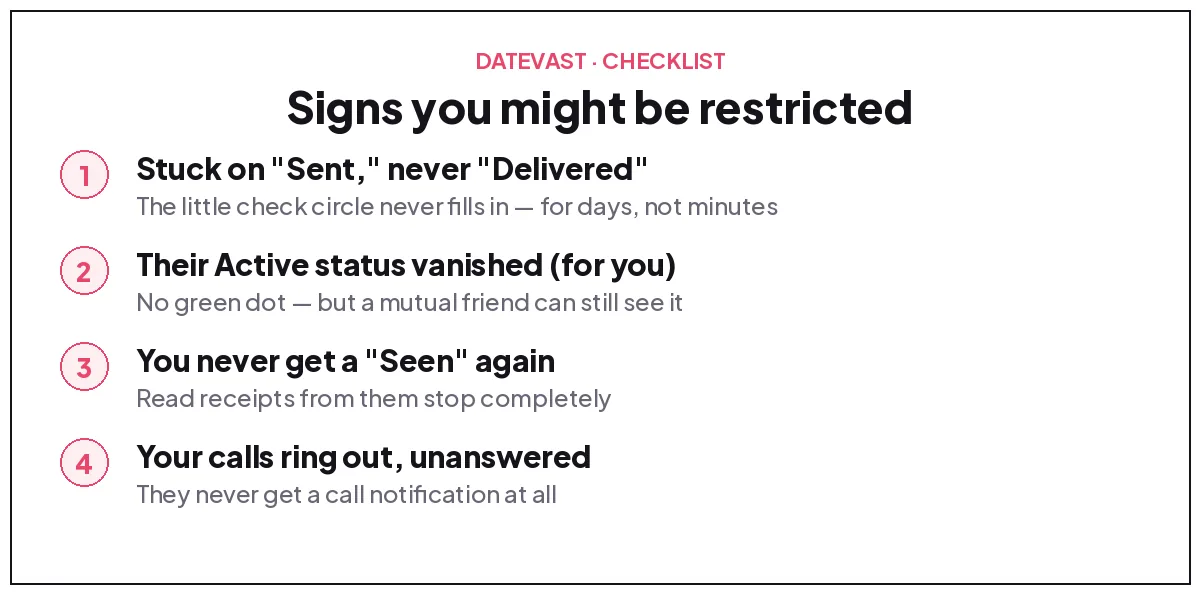
- Your messages stay on “Sent” forever. The little check circle never fills in to “Delivered” — for days, not minutes. (More on that in our guide to messages sent but not delivered.)
- Their Active status disappeared — no green dot, no “Active now,” ever.
- You never see “Seen” again, no matter how long you wait.
- Your calls ring out unanswered — because on their end, the phone never actually rings.
Now the honest part: none of these is proof on its own. Someone who turned off their Active status, went on a phone-free vacation, or deactivated their account looks almost identical. The most reliable check is a mutual friend: if they can see the person’s Active status and you suddenly can’t, restriction is very likely.
Restricted or blocked — how to tell which one
- You can still type and send, but it’s stuck on Sent → leans restricted.
- The typing box is gone and you see “This person is unavailable” → leans blocked (or a deactivated account).
- Their Facebook profile vanished too (search shows nothing, old comments show a broken name) → that’s a full Facebook block.
- Profile still visible, chat still open, just eternal silence → restricted, muted, or genuinely busy. Breathe before assuming 💛.
What about group chats you share
Restricting someone doesn’t touch your shared group chats — you’ll both still see each other’s messages there like normal (Messenger will warn you if you try to add a restricted person to a new group). Blocking generally doesn’t kick either of you out of an existing group either, though Meta doesn’t spell out every detail of how blocked people’s messages appear in shared groups — so if you truly want zero contact, leaving the group is the only guarantee.
FAQ: restricted vs blocked on Messenger
What does restricted mean on Messenger?
It means the chat is muted without the other person knowing: their messages go silently to your Message Requests, they can’t see your Active status or read receipts, their calls don’t ring your phone — and they’re never notified.
Will someone know I restricted them?
No. Messenger sends no notification and nothing on their screen changes. They could only ever guess from the silence — the same signs listed above.
Can a restricted person see my Facebook profile?
Yes. Restrict only affects Messenger. Your profile, posts, and comments stay fully visible to them — if you want those hidden too, you need a full Facebook block.
Can I message someone I’ve restricted?
No — restriction works both ways for new messages. Unrestrict them first (Settings → Privacy & safety → Restricted accounts), then message away.
Does restricting someone delete our conversation?
No. The chat just leaves your main list. You can still find it by searching the person’s name, or read new messages in Message Requests.
Is being restricted the same as being blocked?
No. Restricted = your messages still go through but are quietly ignored by the app. Blocked = you can’t send anything at all. Restrict is the soft option; block is the wall.
Related guides: How to See Your Blocked List on Facebook · Fix Messenger: Sent but Not Delivered · How to Remove Contacts from Facebook Messenger
Want it worked out for you? Answer a few questions in the blocked or restricted checker and it will tell you which one most likely happened.
Changed your mind about a block? Here is how to unblock someone on Facebook, plus the two catches Facebook does not mention.
Was this guide helpful?
Something wrong or missing? Tell us — we read every report and fix issues fast.
Thanks for your feedback!